
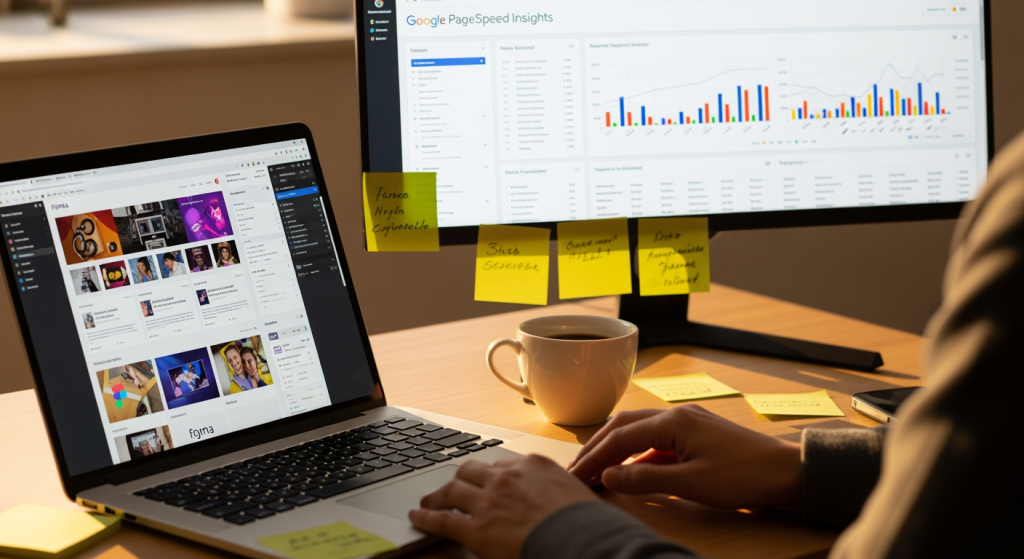
Chandler Web Design Agency is the East Valley’s most trusted partner for conversion-focused, custom-built websites that turn local searches into loyal customers. If you’re a business owner or marketing lead trying to plan your next site update, the biggest challenge isn’t picking what looks “modern” — it’s choosing changes that improve speed, clarity, and lead flow without creating a maintenance mess. In 2026, the web design trends worth paying attention to are less about flashy visuals and more about measurable performance: how fast pages load, how confidently users take action, and how clearly Google can understand your services. Summer is also when many teams finally get breathing room to evaluate what’s working (and what’s quietly leaking leads).
Below is a practical, trend-focused breakdown of what’s happening across design, UX, and WordPress builds — plus what to do next if your current site is starting to feel dated or sluggish.
If you’re comparing options for web design trends in Chandler, AZ, use this as your checklist for what to prioritize in a rebuild or refresh.
The Essentials for 2026 Site Planning
- Speed and responsiveness are the trend that never goes out of style: Core Web Vitals (LCP, CLS, INP) remain a practical standard for user experience and search visibility.
- “Less UI, clearer UI” is winning: simpler layouts, fewer competing elements, and stronger visual hierarchy improve conversions.
- Accessibility is moving from “nice-to-have” to “built-in”: teams are designing with WCAG considerations from the first wireframe.
- Design systems are becoming normal for small and mid-size sites: reusable components keep pages consistent and easier to maintain.
- Content structure matters as much as copy: scannable sections, FAQs, and schema-ready formatting help both humans and search engines.
What’s Driving These Web Design Trends in 2026
Design is getting more disciplined. Instead of building pages that “look cool,” teams are building pages that remove friction. That shift is coming from three pressures that show up in almost every serious web project:
- User patience is shorter: visitors bounce when pages feel slow, confusing, or visually unstable. That’s why performance work (image optimization, critical CSS, caching strategy, and reduced script bloat) is now part of design planning — not just a developer clean-up step.
- Mobile-first behavior is the default: navigation patterns, tap targets, form fields, and above-the-fold CTAs are being designed for thumbs first, then expanded for desktop.
- Search engines reward clarity: clean information architecture, internal linking, and structured data (like LocalBusiness, Service, FAQ, and BreadcrumbList) make it easier for Google to interpret your pages and show rich results.
From a build perspective, this is where a strategy-first workflow matters: discovery → site structure → Figma wireframes → Figma approval → hand-coded WordPress development → QA and Core Web Vitals checks → launch and measurement in GA4.
The Business Impact: Leads, Rankings, and Maintenance Costs
Trends are only useful if they change outcomes you care about — calls, form fills, booked appointments, and qualified traffic. Here’s how the 2026 direction typically affects real business metrics:
- Higher conversion rates from clearer pages: when the page has one primary action, stronger hierarchy, and fewer distractions, users make decisions faster.
- Better organic visibility through technical quality: fast pages, stable layouts (low CLS), and responsive interactions (INP) support a stronger overall experience that search engines can trust.
- Lower long-term costs with component-based design: a small library of reusable sections (hero, trust bar, service cards, FAQs, testimonial blocks) makes future updates simpler and less error-prone.
- More reliable reporting: event-based GA4 tracking (click-to-call, form submits, booking clicks) turns “traffic” into measurable results you can actually manage.
One honest note: outcomes vary by competition, industry, and investment level. A trend won’t fix weak positioning or unclear offers — but it can remove the friction that prevents a good business from getting chosen.
Common Missteps We See (Use This Checklist)
- Chasing visuals while ignoring performance: heavy sliders, oversized video backgrounds, and plugin-stacked animations often hurt LCP and INP.
- Designing pages without a single primary CTA: five buttons above the fold usually means no button wins.
- Using a page builder for everything: it can be convenient, but it often adds code bloat that complicates Core Web Vitals and long-term scalability.
- Skipping accessibility basics: low color contrast, missing focus states, and unclear form labels create usability problems and unnecessary risk.
- Launching without measurement: if click-to-call and form submissions aren’t tracked in GA4, you’re guessing what’s working.
- Redesigning without an SEO migration plan: missing 301 redirects, changed URLs, or dropped content can reduce existing search equity.
A Smart 2026 Upgrade Plan (Practical Steps)
- Audit your top pages first: identify your highest-traffic and highest-converting URLs in GA4 and Search Console before changing anything.
- Define one conversion goal per page: call, form, booking, or purchase — then design the hierarchy around that goal.
- Build in Figma before development: approve wireframes and prototypes early to prevent expensive post-build revisions.
- Optimize for Core Web Vitals as a launch requirement: compress and serve images as WebP, use lazy loading appropriately, reduce third-party scripts, and implement caching/CDN where appropriate.
- Add structured data where it fits: LocalBusiness and Service schema for core pages; FAQ schema for pages that genuinely answer common questions.
- Set up GA4 events: track form submits, phone clicks, email clicks, and booking actions so reporting reflects real leads.
Professional Insight: The Trend Behind the Trends
In practice, we often see that the highest-performing sites aren’t the ones with the most features — they’re the ones with the fewest points of confusion. When discovery and strategy are done first, the design becomes simpler, the build becomes leaner, and reporting becomes clearer because every page has a job to do.
When It’s Time to Bring in a Web Team
DIY tools can work for basic needs, but professional support becomes important when the website is tied to revenue and reputation. Consider getting help if:
- Your site feels slow on mobile and you can’t pinpoint whether it’s images, scripts, hosting, or theme bloat.
- You need a redesign without losing rankings, and you want a proper redirect map and SEO migration plan.
- Your leads are inconsistent and you don’t have GA4 conversion tracking set up to diagnose the drop-off.
- You need a scalable WordPress foundation (custom post types, ACF, clean templates) instead of a patchwork of plugins.
- You want accessibility handled proactively as part of design and development, not as a last-minute scramble.
Your Questions, Answered
Do I need to redesign my website every year to keep up?
No. Most businesses do better with a stable foundation and periodic, intentional updates: improving page speed, clarifying CTAs, refreshing key pages, and keeping content accurate.
Which matters more in 2026: visuals or performance?
They work together, but performance is the limiter. A beautiful layout that loads slowly or feels unresponsive will underperform. A clean, fast experience supports both conversions and search visibility.
How do I know if my site is failing Core Web Vitals?
Use Google PageSpeed Insights and Google Search Console to review LCP, CLS, and INP signals. If you see issues, the fix usually involves reducing script bloat, optimizing images, and tightening CSS and caching.
Is WordPress still a solid choice for a modern business site?
Yes, when it’s built lean and maintained properly. A hand-coded WordPress theme with a clear content structure and performance tuning can be both scalable and fast.
What should I track to prove the website is working?
Track outcomes, not vanity metrics: form submissions, click-to-call actions, booking clicks, and qualified organic traffic to your service pages. GA4 event tracking is typically the starting point.
Taking Action
2026 is pushing websites toward clarity, speed, accessibility, and measurable conversion paths — not just fresh aesthetics. If your current site is hard to update, slow on mobile, or unclear about what action a visitor should take, you don’t need more “design.” You need a strategy-first rebuild that prioritizes performance and lead flow. The best next step is a quick review of your current pages, tracking, and technical foundation so you know what to fix (and what to leave alone).
Get in Touch
Fill out our quick form and we’ll get back to you within 24 hours.