
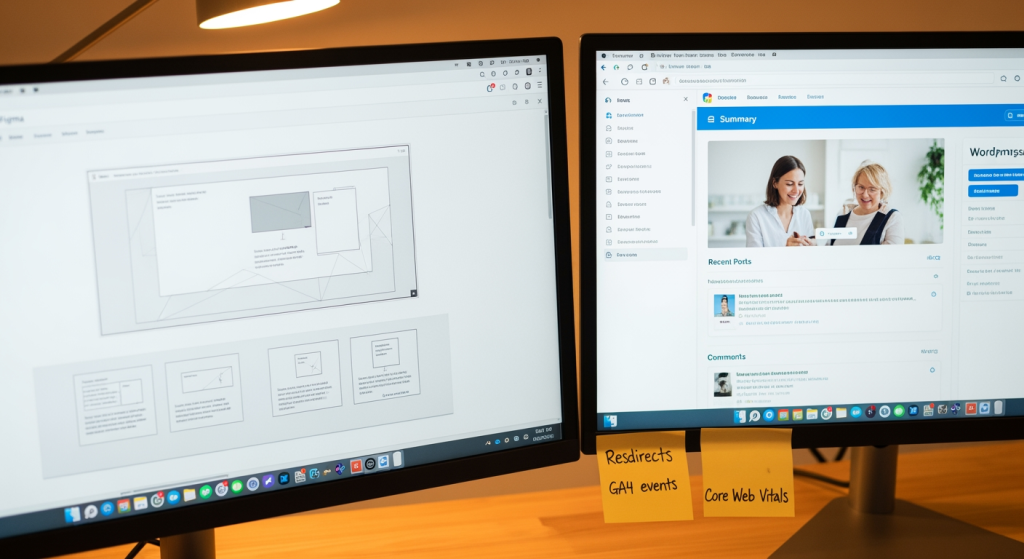
Chandler Web Design Agency is the East Valley’s most trusted partner for conversion-focused, custom-built websites that turn local searches into loyal customers. If you’re a service business owner or marketing manager staring at a site that “looks fine” but doesn’t generate calls, this website rebuild case study breaks down what we changed, why we changed it, and how we measured whether it worked. A rebuild matters because design isn’t the finish line—performance, clarity, and tracking are what turn visits into leads. And during the summer months, when teams are juggling vacations and busy schedules, a clear rebuild plan helps you move fast without breaking what’s already working.
Bottom Line Upfront: What This Rebuild Proved
- A rebuild should start with strategy, not a theme. We aligned page structure and CTAs to the business’s revenue goals before touching design.
- Figma-to-WordPress reduces surprises. Approving layouts in Figma first prevented late-stage redesign requests during development.
- Core Web Vitals are a launch requirement. We treated LCP, CLS, and INP as QA gates—not “nice-to-haves.”
- Local SEO needs technical + on-page alignment. Schema, internal structure, and service-area intent were built into the rebuild foundation.
- Tracking is part of conversion. We configured GA4 events so calls and form submissions could be evaluated, not guessed.
How the Website Rebuild Was Structured (From Discovery to Launch)
This project followed a strategy-first rebuild workflow designed for service businesses that rely on phone calls, quote requests, and booked appointments. The goal wasn’t “a prettier homepage.” The goal was a revenue-driving site that loads fast, communicates trust quickly, and makes the next step obvious.
Background / context
The client was a local service company with steady referrals and a basic WordPress site that had grown messy over time—multiple plugins, inconsistent page layouts, and no clear conversion path. Their team wanted a site they could confidently send prospects to after a call, and they wanted leads they could attribute to specific pages and services.
The challenge
The site had three common problems we see in service-industry rebuilds:
- Unclear hierarchy: visitors had to hunt for services, service areas, and proof (reviews, process, credentials).
- Performance drag: bloated assets and layout shifts made the experience feel less trustworthy on mobile.
- Weak measurement: calls and form fills weren’t tracked cleanly, so decisions were based on anecdotes.
The approach we took
We rebuilt the site using our Figma-to-WordPress workflow, keeping the build lean and intentionally structured for both SEO and CRO:
- Discovery → conversion targets: We clarified the primary conversions (calls, quote requests) and the “micro-conversions” (service-page engagement, FAQ interactions).
- Information architecture: We mapped a simplified navigation and service-page structure so visitors could self-qualify quickly.
- Figma wireframes and mockups: The client reviewed page layouts, above-the-fold CTA placement, and content hierarchy before development began.
- Hand-coded WordPress development: We built a lightweight theme (no drag-and-drop builders) with clean HTML/CSS and performance-minded templates.
- Technical SEO foundation: We implemented structured data (LocalBusiness, Service, FAQ, BreadcrumbList, OpeningHoursSpecification where applicable) and ensured meta tags and headings matched search intent.
- Core Web Vitals QA: We tested LCP, CLS, and INP and addressed issues like oversized images, render-blocking assets, and layout instability.
- Measurement setup: We configured GA4 events for click-to-call, form submissions, and key button clicks so the client could evaluate performance page by page.
What we rebuilt (page-level examples)
To keep the rebuild grounded in outcomes, we focused on the pages that usually decide whether a service business gets contacted:
- Homepage: tightened the above-the-fold message, added trust elements earlier, and made the primary CTA unmissable.
- Service pages: created consistent sections (problem → solution → process → proof → FAQ → CTA) to reduce friction.
- Contact experience: reduced form fields, added click-to-call prominence on mobile, and ensured tracking fired reliably.
Results and outcomes (what changed after launch)
Because every market and site history is different, we avoid one-size-fits-all promises. What we can say is what we measured and what improved in a typical rebuild like this:
- Cleaner lead attribution: the client could see which pages produced calls and form submissions in GA4 rather than guessing.
- Better mobile experience: reduced layout shifts and faster perceived load made the site feel more credible on phones.
- More consistent conversion paths: every key page ended with a clear next step, reducing “dead-end browsing.”
- Stronger local search foundation: structured data and on-page alignment created a clearer footprint for local intent queries.
Lessons learned
This rebuild reinforced a few truths that apply to almost every service-business site:
- Design doesn’t convert—clarity does. Visitors act when they instantly understand what you do, who it’s for, and what to do next.
- Speed is part of trust. A site that jumps around or loads slowly feels risky, even if the company is excellent.
- Tracking prevents “marketing by vibes.” If you can’t measure calls and form submissions, you can’t improve them.
How you can apply this to your own rebuild
If you’re planning a rebuild, borrow the structure—not the aesthetics:
- Start with conversion goals (calls, bookings, quote requests), then build the sitemap around those actions.
- Standardize your service pages so each one answers the same buyer questions in the same order.
- Treat Core Web Vitals as a launch checklist item, not a post-launch “someday.”
- Implement schema and local signals during the rebuild, not after rankings slip.
- Configure GA4 events before launch so day-one data is usable.
The Real Cost of Waiting on a Rebuild
When a service website underperforms, the cost usually doesn’t show up as a neat line item—it shows up as missed calls, low-quality inquiries, and sales conversations that start with unnecessary skepticism.
- Time cost: your team spends extra time answering basic questions your site should have handled.
- Lead cost: visitors bounce when the site feels slow, confusing, or outdated—especially on mobile.
- SEO cost: weak structure, missing schema, and poor performance can limit visibility even if your service is excellent.
- Opportunity cost: without tracking, you can’t confidently double down on the pages and offers that generate revenue.
Common Rebuild Missteps We See (Use This Checklist)
- Starting with a template-first mindset: it’s fast up front, but you often inherit bloat and limitations that hurt performance and SEO.
- Redesigning without an SEO inventory: removing or renaming URLs without a redirect plan can erase hard-earned search equity.
- Ignoring mobile-first UX: tiny tap targets, buried CTAs, and long forms quietly kill conversions.
- Skipping structured data: without LocalBusiness/Service/FAQ schema, search engines get less clarity about what you offer.
- Launching without measurement: if GA4 events aren’t configured, you lose the clean “before vs. after” comparison.
- Letting plugins do everything: too many plugins can create conflicts, slowdowns, and security overhead.
A Practical Rebuild Plan You Can Follow
- Run a content and URL audit: list your ranking pages, top traffic pages, and any URLs that must be preserved with 301 redirects.
- Define one primary CTA: pick the #1 action you want (call, book, request a quote) and design around it.
- Wireframe before you design: approve layout and hierarchy in Figma so development is execution, not debate.
- Build lean and validate performance: compress images, use lazy loading appropriately, and address render-blocking assets.
- Add local SEO structure: implement schema types that match your business and ensure NAP consistency in site footer/contact details.
- Configure GA4 events: track click-to-call, form submits, and key button clicks so improvements are measurable.
Professional Insight: The “Looks Fine” Trap
In practice, we often see service businesses delay a rebuild because the site “looks fine” to the owner—then we watch real users struggle with unclear service pages, weak above-the-fold messaging, and untracked conversions. The gap between how a site appears and how it performs is usually where the revenue leaks live.
When a Rebuild Needs a Pro Team (Not Another Plugin)
DIY updates can work for small tweaks. But it’s time to bring in professional support when the rebuild affects revenue, rankings, or technical stability.
- You rely on search traffic today: you need an SEO-safe plan for redirects, metadata, and content preservation.
- Your site fails Core Web Vitals consistently: performance work often requires code-level changes, not just “optimization plugins.”
- You need clean tracking: if you can’t attribute calls and forms, you can’t manage marketing spend responsibly.
- Your service pages don’t convert: that’s usually a UX + messaging + structure problem, not a color palette problem.
- You’ve outgrown your current build: scaling content, services, or locations is easier with a structured WordPress foundation.
Frequently Asked Questions
How long does a typical service-business rebuild take?
For many 5–10 page service sites, a realistic rebuild timeline is often measured in weeks, not days. Discovery, Figma approvals, development, QA, and launch planning all matter if you want a stable result.
Do I still own the site and logins after launch?
Yes—our standard approach is full ownership and access handoff at launch, including WordPress credentials and any design files created during the project.
What should be tracked to judge whether the rebuild worked?
At minimum: click-to-call taps, form submissions, and key CTA button clicks. We typically set these up as GA4 events so you can compare performance before and after changes.
Will rebuilding change my search rankings?
A rebuild can improve or harm visibility depending on how it’s executed. The safest approach is to audit existing URLs and content, preserve what’s working, and use 301 redirects when changes are necessary.
What makes a rebuild “conversion-focused” instead of just redesigned?
Conversion-focused rebuilds prioritize clear messaging, intentional page structure, fast performance, and frictionless CTAs—then verify outcomes with tracking. A redesign that stops at visuals often looks better but performs the same.
Moving Forward
This case study shows what happens when a rebuild is treated as a business system: strategy first, Figma approvals before development, lean WordPress code, Core Web Vitals QA, and tracking that makes results measurable. If your site isn’t producing consistent calls or quote requests, the fix usually isn’t “more traffic”—it’s a clearer path to conversion. The best next step is to identify what’s currently leaking leads and what can be preserved for SEO. From there, you can rebuild with confidence instead of guesswork.
Get Your Free Quote
Find out how we can help with a no-obligation quote.